Beat Maker: Drum Pad & Synth
- 4.2
- Rating
- 500.00K
- Installs
- Free
- Price
 Analysis by App-foxy
I tried Beat Maker: Drum Pad & Synth with one question in mind: would it still deserve a place on my phone after the first burst of curiosity disappeared? A drum-pad app can be exciting for ten minutes, especially when tapping patterns produces an instant sense of progress. The harder test is whether it helps me make something I actually want to revisit, share, or develop.
My first impression was clearly positive. This is a free music and audio app from WorkPlay Space, built around making beats, mixing songs, and creating mashups. Its short store description, “Beat Maker,” is simple, but the useful distinction is that it aims at quick hands-on creation rather than passive listening. I can open it when I have a spare moment, tap out a rhythm, and experiment without setting up a full music workstation.
That immediacy is the strongest part of the experience. I do not need to understand music theory before trying a pattern, and I do not have to commit to a long session. For someone who wants to explore rhythm on an Android phone or simply turn idle time into a small creative exercise, the low entry barrier makes sense. The app is rated for Everyone, so it also feels approachable for younger users exploring sound with supervision appropriate to their situation.
You May Also Like

 Pandora - Music & Podcasts
Pandora’s Music Is Easy to Start, but Harder to Recover
Pandora’s strength is its low-effort path from a seed to a station. Its weak spot is how much confidence it asks you to place in connection, setup, and quiet recovery.

 8 Ball Pool
 Is Built on Rivalries, Rematches, and Routine
A close look at the rivalries, rematches, shared routines, and unanswered safety questions that turn a quick pool match into a persistent mobile community.

 Samsung Music
’s Quiet Strength Is Playing What You Already Own
Its reach comes less from spectacle than from dependable access to a personal library. That simplicity is both the app’s strongest retention engine and its ceiling.

 AccuWeather: Weather Radar
AccuWeather Review: A Quick, Clear Forecast for Everyday Decisions
For everyday plans, the best forecast is the one you can understand quickly. AccuWeather makes rain timing, radar, and local conditions easy to act on, with a few trade-offs.

 Hill Climb Racing
Why Hill Climb Racing Still Turns Crashes Into One More Run
A tiny car, a bumpy hill and one more upgrade: Hill Climb Racing keeps resurfacing because its simple chaos makes every near-miss feel personal.

 AliExpress - Shopping App
AliExpress Makes Global Shopping Feel Personal, but Shoppers Bear the Risk
AliExpress turns a global marketplace into a pocket-sized discovery engine. Its reach is useful, its shopping loop compelling, and its trade-offs easy to miss.
More From Our News Desk
View All News


Why the first week feels so satisfying
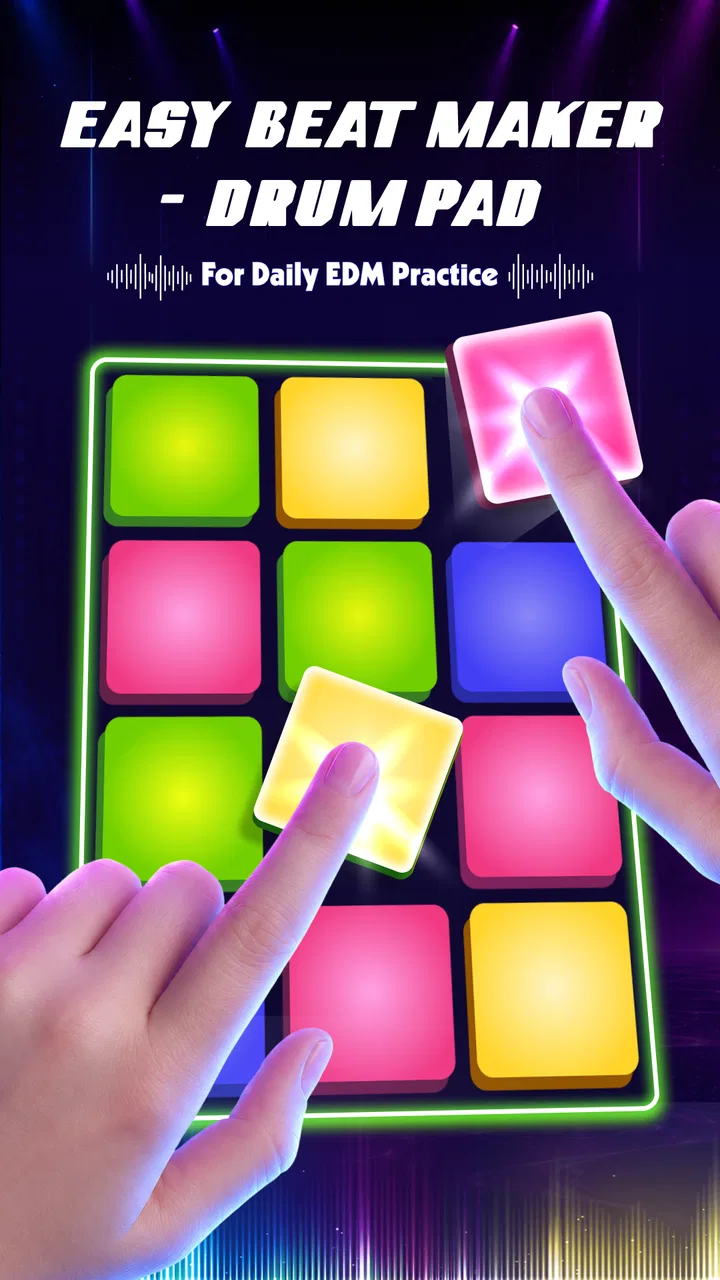
During the first few sessions, the pad-based approach encourages playful repetition. I can begin with a basic pulse, add another sound, and listen for whether the combination feels balanced. That process is more engaging than scrolling through finished tracks because every tap gives me a small decision. Even when the result is rough, I am actively shaping it.
The app makes the most sense when I treat it as a sketchbook rather than a replacement for a complete studio. I might use it while waiting for a bus, build a short groove during a break, or test a rhythm before opening a more demanding music tool. That distinction matters: the appeal comes from speed and touch, not from pretending a phone screen offers the same control as a desktop production setup.
A realistic everyday use case is a beginner who wants to make a short beat for a personal video or just understand how layered rhythm works. I would start with a simple kick pattern, leave space instead of filling every pad, and then add a contrasting sound. The most useful early lesson is restraint. A crowded pattern can sound energetic while tapping it, but become tiring when replayed. Leaving gaps gives the beat room to breathe.
Another worthwhile first-week habit is to change only one element at a time. If I alter the rhythm, sound choices, and mix together, I cannot tell what improved the result. Keeping the basic pattern and swapping one layer makes the app more educational. It turns casual tapping into a small experiment about timing, density, and contrast.
The app’s store presence shows a 4.2 average from around four hundred ratings, and it has passed half a million installs. Those figures suggest that the concept is reaching a real audience, but they do not change my practical advice: popularity should not be confused with depth. The first week is where this app is easiest to enjoy because discovery itself supplies motivation.
Who gets the most from the early experience
I would recommend it first to curious beginners, casual beat makers, and people who want a tactile way to play with rhythm. It can also suit a musician who needs a quick idea generator. A rough beat made on a phone can act as a reminder for a later session, even if the final arrangement happens elsewhere.
It is less convincing for anyone expecting a full digital audio workstation, detailed recording control, or a serious replacement for established production software. If your priority is precise editing, complex arrangement, or a carefully managed library of finished projects, a more specialized alternative will probably serve you better. The pad format is inviting, but invitation is not the same as comprehensive control.
What remains useful after the novelty fades
After the first month, the question changes from “Can I make a beat?” to “Why would I return?” For me, the answer depends on whether I give the app a defined role. Used without a purpose, it can become another source of quick entertainment. Used as a rhythm notebook, it has a better chance of becoming a recurring tool.
I found three practical roles that make continued use more likely. The first is idea capture: when a rhythm arrives unexpectedly, a pad app is faster than opening a large production environment. The second is practice: repeating a short pattern helps me notice whether I can keep time and whether each layer has a reason to exist. The third is warm-up: a few minutes of tapping can help me move from passive listening into active music making.
The important trade-off is that these roles reward consistency more than ambition. I would not open it every day expecting a finished track. I would open it when I need a compact creative task. That expectation keeps the experience from feeling disappointing. The app is more valuable as a small, repeatable instrument than as a promise of unlimited production.
A useful monthly routine would be to create one short rhythm at the start of a week, revisit it later, and ask what still works. If the beat only sounded exciting in the moment, that is useful feedback. If the core pattern survives repeated listening, it may be worth developing in another music app. This workflow gives the tool a place in a larger process instead of demanding that it do everything alone.
I also recommend judging a beat at low volume. Phone speakers can make a busy pattern feel impressive because the sound is immediate and compressed into a small space. Lower playback exposes whether the rhythm has a clear foundation or depends on sheer loudness. That is a simple habit, but it prevents me from mistaking intensity for quality.
How it compares with familiar alternatives
Compared with a streaming app, this is obviously more active and less relaxing. It asks me to make choices rather than provide a finished soundtrack. Compared with a conventional music workstation, it is quicker to approach but narrower in purpose. The best comparison is not “Which one is superior?” but “How much control do I need before I start?”
If I want immediate physical interaction, the drum-pad format has an advantage over timeline-based software. I can think in gestures and patterns instead of menus and tracks. If I need exact placement, detailed correction, or a long arrangement, the usual workstation-style alternative is the better destination. I would happily use both: this app for the spark, a more complete tool for the construction.
It also differs from loop-focused apps in an important way. Loop libraries can make a polished result appear quickly, but they may encourage me to assemble rather than understand. A pad-based workflow makes the rhythm feel more personal because my timing and choices are visible in the result. The downside is that the outcome may sound more basic unless I invest time in refining it elsewhere.
The small maintenance cost of keeping it useful
Every creative app has a maintenance burden, even when it is technically easy to open. Here, the burden is mainly personal: I need to bring a clear intention. Without one, I can spend time tapping combinations that never become memorable. The app does not remove the need for taste, patience, or a willingness to discard weak ideas.
I would keep a simple rule: stop when I have one promising rhythm, not when I have exhausted every possible tap. This protects the app from becoming a time sink. A short session with a recognizable result is more valuable than a long session filled with abandoned experiments.
Another maintenance issue is expectation management around purchases. The app is free to install, with individual in-app purchases ranging from ninety-nine cents to nineteen dollars and ninety-nine cents. I would explore the core experience first and decide later whether any paid item genuinely improves my workflow. The right question is not whether an extra sound or option looks attractive, but whether I will still use it after the initial excitement.
That approach is especially important for casual users. If I only open the app once every few weeks, paying for additions may not make sense. For someone who uses it as a regular sketchpad, a purchase could be easier to justify, but only after a sustained trial. I prefer to see whether a tool changes my habits before spending money on expanding it.
The current version is 1.0.8, and the app runs on Android 8.0 or later. That makes device compatibility a practical checkpoint before installing. On a supported phone, I would still pay attention to how comfortable the screen feels for repeated tapping. A small display can make a dense pad layout less pleasant, while a larger screen may make finger placement easier. The physical device matters more here than it would for a reading or messaging app.
For iPhone users, I would not assume the same experience simply because the category is available on both major mobile platforms. The important thing is to check the relevant platform listing and device support before building a workflow around it. The app’s value depends heavily on touch response and how comfortable the interface feels in the hand.
Where long-term fatigue can appear
The biggest risk is repetition. A pad-based beat maker can feel wonderfully immediate at first, but the same interaction may become predictable if I use it without changing my goals. Tapping more patterns is not automatically the same as learning more. Once the novelty of triggering sounds fades, I need a reason to return.
There is also a ceiling to the quick-sketch approach. If I want a vocal arrangement, a carefully edited song structure, or detailed finishing work, I will eventually need another tool. That is not a flaw by itself, but it becomes frustrating if I expect this app to carry a project beyond what its compact format is designed to support.
Another source of fatigue is the gap between making something enjoyable and making something reusable. A beat can feel exciting while I am performing it because the interaction is rewarding. Later, it may lack variation or a strong transition. I deal with that by listening back after a pause rather than judging every idea immediately. Distance makes it easier to separate the fun of tapping from the strength of the result.
Beginners may also mistake complexity for progress. Adding more sounds can hide a weak foundation instead of improving it. I get better results by checking whether the main pulse works with fewer elements first. If it does not, adding layers usually makes the problem harder to hear, not easier to solve.
People who need a structured learning path may find the experience less satisfying than an educational music app with guided lessons. Likewise, users who mainly want to listen to music should choose a player or streaming service instead. This is a creation tool, and its value appears only when I am willing to participate.
Three habits that improve the return on each session
First, I would begin with a deliberately limited palette. Choosing a small number of sounds forces clearer decisions and makes it easier to remember why a pattern works. After the rhythm feels stable, I can add contrast rather than piling on noise from the beginning.
Second, I would use silence as an active ingredient. Removing a tap before adding another one often creates a stronger groove. This is a non-obvious advantage of a pad workflow: because the interface invites constant action, consciously doing less becomes a useful creative discipline.
Third, I would separate performance from evaluation. I can tap freely for a few minutes, then stop and listen with fresh ears. Trying to edit my judgment while I am still chasing the excitement of performance makes every idea seem better than it is. The pause is what turns a toy-like session into a repeatable creative method.
These habits also answer a question many users have after installing: how do I avoid making the same generic beat repeatedly? The answer is not simply to tap faster or add more layers. Change the constraint. Use a sparse pattern, start with the offbeat, build around a single accent, or create a rhythm intended for a specific situation such as a short intro. A defined purpose produces more variety than random experimentation.
My long-term verdict
After the novelty wears off, I still see a place for Beat Maker: Drum Pad & Synth, but that place is specific. I would keep it for quick rhythm sketches, warm-ups, and playful practice. I would not make it my only music-making environment, and I would not recommend it to someone whose main goal is detailed, end-to-end production.
The free entry point makes it easy to test whether the tactile approach suits you. The Everyone rating broadens its appeal, while the Android 8.0 minimum keeps the technical requirement relatively clear for compatible devices. WorkPlay Space has positioned the app in a part of Music & Audio where immediacy matters, and that is where it performs best in my experience.
Its lasting value comes from giving it a job. If I open it aimlessly, fatigue arrives quickly. If I use it to capture an idea, practice rhythm, or begin a session before moving to a fuller alternative, it earns repeat visits. The in-app purchase range is another reason to wait before spending: regular use should come first, and expansion should follow only if it supports a habit I already have.
My final recommendation is straightforward: try it if you want an approachable, touch-driven way to make beats and you are comfortable treating it as a compact instrument. Skip it if you need deep arrangement, precision editing, or a complete studio on your phone. Its strongest feature is not endless novelty, but the possibility of becoming a dependable five-minute creative ritual. That is enough to justify keeping it installed, provided I remember what it is—and what it is not.
FAQs for Beat Maker: Drum Pad & Synth
01What features does Beat Maker: Drum Pad & Synth offer?
Beat Maker: Drum Pad & Synth offers a variety of features including customizable drum pads, a wide range of synth sounds, and an intuitive interface for creating beats. It also includes preloaded loops, effects like reverb and delay, and the ability to save and export your tracks. These features make it a versatile tool for both beginners and experienced music producers.
02Is Beat Maker: Drum Pad & Synth suitable for beginners?
Yes, Beat Maker: Drum Pad & Synth is designed to be user-friendly, making it suitable for beginners. The app includes tutorials and easy-to-use controls that guide new users through the process of creating beats and melodies. Its intuitive design ensures that even those with no prior experience can start producing music quickly.
03Can I export my music creations in Beat Maker: Drum Pad & Synth?
Absolutely. Beat Maker: Drum Pad & Synth allows you to export your music creations in multiple formats, making it easy to share your tracks with others or integrate them into other projects. Whether you want to save them on your device or upload them to cloud storage, the app provides convenient export options.
04Does Beat Maker: Drum Pad & Synth require an internet connection?
No, Beat Maker: Drum Pad & Synth does not require an internet connection to function. You can create and edit music offline, which is ideal for users who want to work on their tracks while on the go or in locations with limited connectivity. However, downloading additional sound packs or updates may require internet access.
05What devices are compatible with Beat Maker: Drum Pad & Synth?
Beat Maker: Drum Pad & Synth is compatible with most Android and iOS devices. It is optimized to run smoothly on both smartphones and tablets, providing a seamless music production experience. Users should ensure their device meets the minimum operating system requirements listed on the app’s download page for optimal performance.
Pros
- Intuitive interface for easy music creation.
- Extensive library of sound packs available.
- Responsive touch controls for precise beats.
- Supports exporting tracks in various formats.
- Customizable pads for personalized setups.
Cons
- Ads can interrupt the creative flow.
- Some features require in-app purchases.
- Limited free sound packs available.
- Occasional lag on older devices.
- No option for live collaboration.

Beat Maker: Drum Pad & Synth
Gallery